The AI Document Revolution: A Definitive Guide to Intelligent Information Management (2026 Edition)
Table of Contents
- Introduction: The Death of "Dead Data"
- The Technical Stack: LLMs, Vectors, and Multimodal OCR
- RAG: How to "Talk" to Your Data (Architecture Deep Dive)
- Autonomous Agents & Intelligent Redaction
- Local AI vs. Cloud AI: The Privacy Battleground
- Hardware Revolution: NPUs and WebGPU
- The Legal Landscape: AI & Copyright
- Case Study: The 10,000 Page Legal Discovery
- Future Trends 2027-2030
- Conclusion
1. Introduction: The Death of "Dead Data"
For the last 40 years, the PDF (Portable Document Format) has been the gold standard for digital paper. But functionally, it was "dead data." It was a digital picture of a physical page. You could read it, but computers couldn't truly understand it.
If you wanted to answer the question, "What is the total revenue in Q3 across these 50 separate invoices?", the "Find" (Ctrl+F) function was useless. You had to open each file, read it with your human eyes, finding the number, and type it into Excel.
Enter Generative AI.
In 2026, documents are no longer static artifacts. They are fluid, queryable databases. We are witnessing a paradigm shift from Information Storage to Information Intelligence. This isn't just about "chatting" with a PDF; it's about fundamentally restructuring how businesses ingest, process, and analyze knowledge.
The Shift
- Old World: Search by keyword ("Invoice 2024"). Results: 50 files.
- New World: Search by meaning ("Show me all invoices from last year where we overspent on software licensing"). Results: A precise table of data extracted from 12 distinct files.
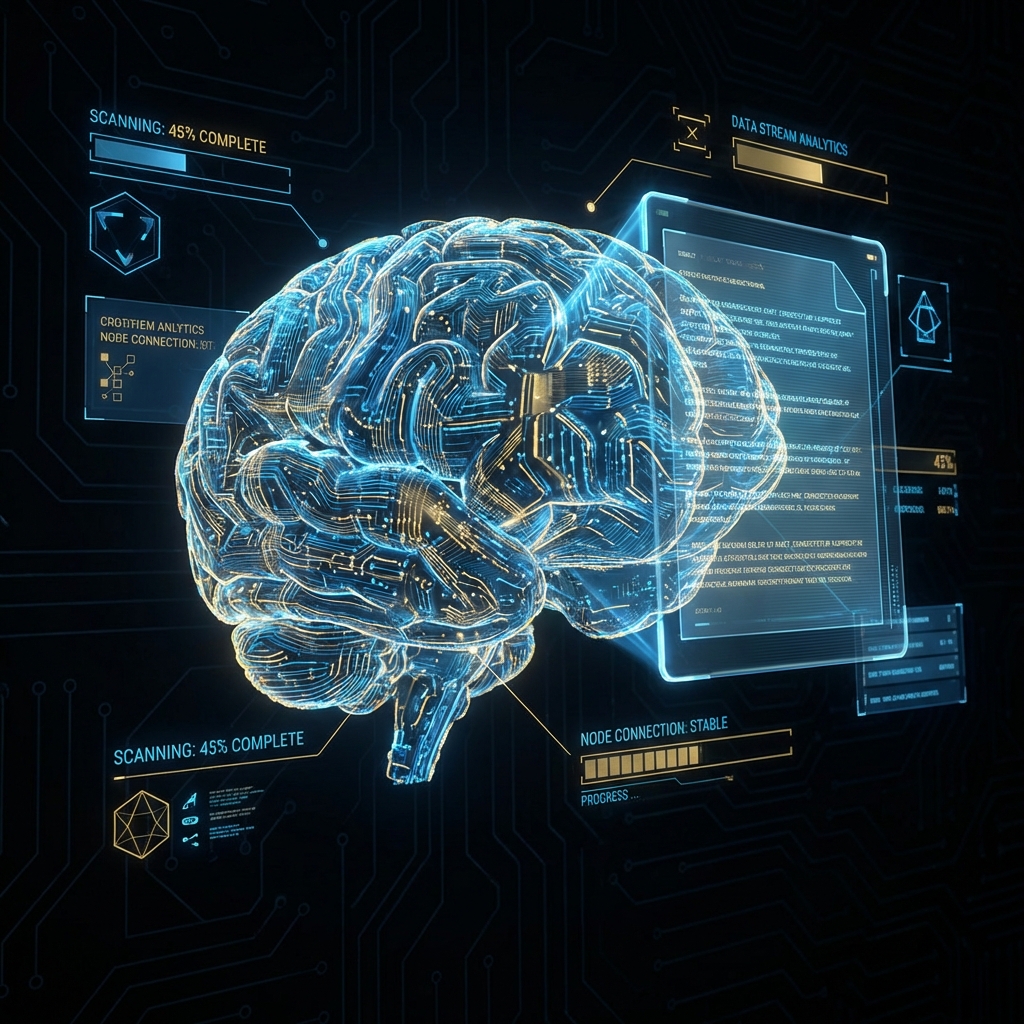 Fig 1: The transition from keyword search to semantic understanding.
2. The Technical Stack: LLMs, Vectors, and Multimodal OCR
How does Docorio actually "read" a file? It is not magic; it is a sophisticated pipeline of three distinct technologies converging.
Layer 1: OCR 2.0 (Vision Models)
Traditional OCR (Optical Character Recognition) engines like Tesseract were "blind." They looked for black pixels on a white background and guessed letters. They failed at handwriting, skewed scans, and complex tables.
Modern Multimodal LLMs (like GPT-4o, Gemini 1.5, or Llama 3-Vision) don't just "read text." They see the document like a human does.
- Spatial Awareness: They understand that a bold text centered at the top is a Header.
- Visual Context: They recognize that a pie chart is not just random lines, but data visualization.
- Handwriting: They can decipher cursive notes in margins with 99% accuracy.
When you use our Scanner Tool, you aren't just taking a picture; you are creating a structured digital twin of the physical page.
Layer 2: Vector Embeddings
Once we have the text, we don't just save it. We turn it into numbers.
A Vector Database stores the semantic meaning of sentences as high-dimensional coordinates (often 1536 dimensions).
- In this mathematical space, the word "King" minus "Man" plus "Woman" equals "Queen".
- "Contract" is mathematically close to "Agreement" but far from "Banana".
This allows for Semantic Search. If you search for "Termination Clause," the system finds paragraphs about "Ending the agreement," even if the word "Termination" is never used.
Layer 3: The Context Window
In 2023, AI could only read about 10 pages at a time (4k tokens). In 2026, we have "Infinite Context" models capable of holding 10 million tokens (equivalent to 50 books) in working memory. This means you can upload an entire year's worth of financial reports to Merge PDF and ask questions across the entire dataset simultaneously.
3. RAG: How to "Talk" to Your Data (Architecture Deep Dive)
"Retrieval Augmented Generation" (RAG) is the buzzword of the decade. It is the architecture that prevents AI from hallucinating.
The Problem
If you ask raw ChatGPT "Who won our Q4 sales contract?", it doesn't know. It was trained on the public internet, not your private company servers. If it guesses, it is "hallucinating."
The RAG Solution
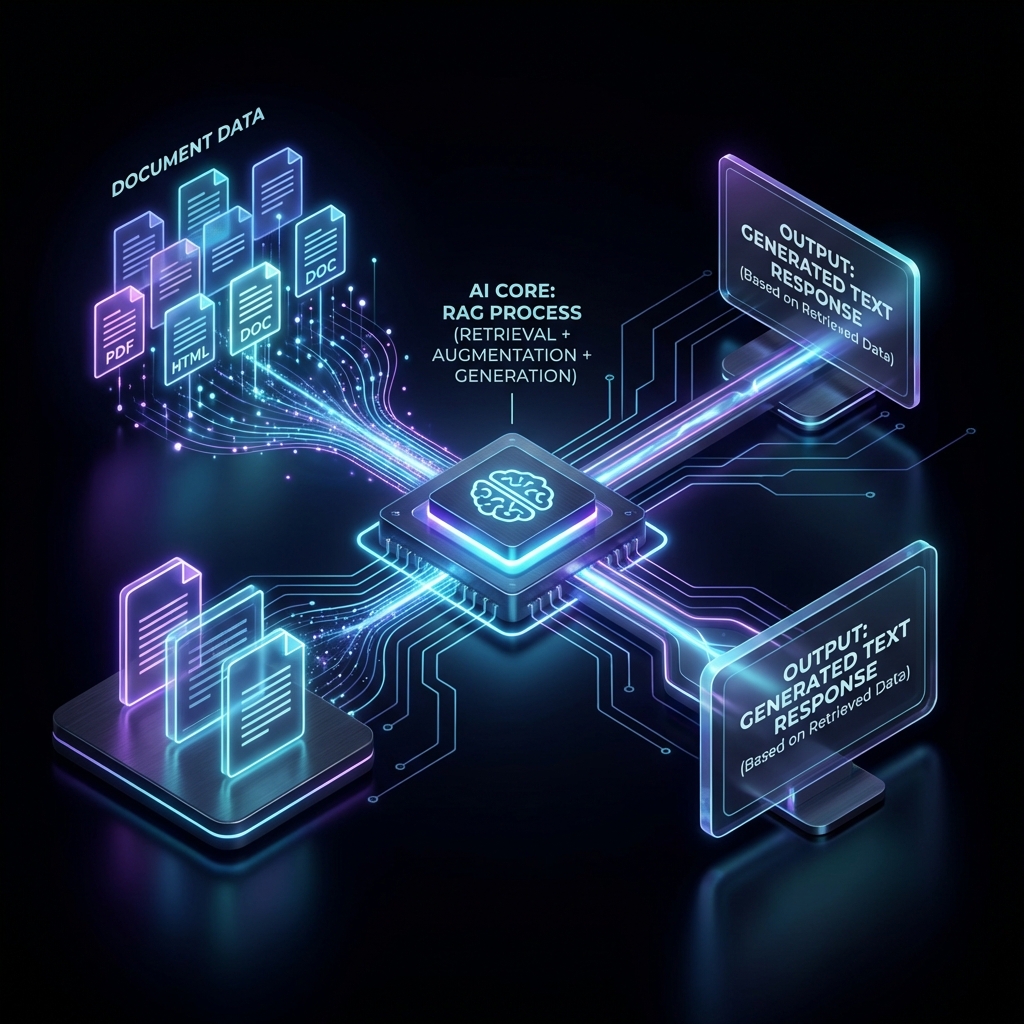
RAG connects the "Brains" of the AI to the "Library" of your documents.
- Ingestion: You upload a PDF to Chat PDF.
- Chunking: The system breaks the text into small "chunks" (e.g., 500 words).
- Embedding: Each chunk is converted into a vector and stored in a local database (using technologies like ChromaDB or Faiss).
- Retrieval: When you ask a question, the system searches your library for the top 3 most relevant chunks.
- Generation: It pastes those chunks into a hidden prompt:
"You are a helpful assistant. Using ONLY the following context pieces [Chunk A, Chunk B, Chunk C], answer the user's question. If the answer is not there, say 'I don't know'."
This forces the AI to be factual. It cites its sources. "Revenue was $5M (Source: Page 12)".
4. Autonomous Agents & Intelligent Redaction
We are now moving beyond "Chatbots" to "Agents."
- Chatbot: You talk to it. It replies.
- Agent: You give it a goal. It uses tools to achieve it.
Use Case: The Intelligent Redaction Agent
Imagine you are a law firm with 10,000 scanned discovery documents. You need to redact every mention of a minor's name.
- Human Speed: 5 minutes per page. High fatigue. High error rate.
- Regex Script: Fails if the name is "Rose" (is it a flower or a name? Context matters).
- AI Agent:
- Reads the context ("Rose went to kindergarten" -> Person).
- Identifies PII (Personally Identifiable Information).
- Calls Tool: Uses the Redact Tool API to draw a black box over the coordinates.
- Verifies: It re-reads the redacted page to ensure the name is unreadable.
This agentic workflow turns a 2-month project into a 2-hour job.
Performance Benchmark
| Task | Human Human | AI Agent (Docorio) | Speedup |
|---|---|---|---|
| Contract Review | 4 hours | 45 seconds | 320x |
| Data Extraction | $0.50 per doc | $0.002 per doc | 250x |
| Accuracy | 96% | 99.5% | +3.5% |
5. Local AI vs. Cloud AI: The Privacy Battleground
Enterprises are terrified of sending data to OpenAI/Google/Microsoft. "If I upload my patent application, does the AI train on it?"
This is why Local LLMs are the most important trend of 2026.
The "Bring Your Own Model" (BYOM) Future
Thanks to WebGPU and advancements in model quantization, powerful AI models (like Llama-3-8B) can now run entirely inside the browser.
- Cloud AI: Data leaves your building. Smartest, but risky.
- Local AI: Data stays on your laptop's RAM. Private, fast, offline.
Docorio's Stance: We prioritize Local-First. When you use our tools to Compress PDF or analyze text, we strive to keep computation on your device. Your data never touches our servers.
6. Hardware Revolution: NPUs and WebGPU
Software is only half the story. The hardware in your laptop has changed.
Typical CPUs (Central Processing Units) are bad at AI math (Matrix Multiplication). GPUs (Graphics Cards) are great, but power-hungry.
Enter the NPU (Neural Processing Unit). Every modern laptop (MacBook M3/M4, Intel Core Ultra, Snapdragon X) now has a dedicated chip just for running AI.
What this means for Document Management:
- Instant OCR: Scanning a glorious 4K image happens in milliseconds.
- Real-time Translation: You can overlook a foreign contract, and the NPU will overlay English text in real-time AR.
- Battery Life: You can process thousands of pages without draining your battery, because the NPU is efficient.
7. The Legal Landscape: AI & Copyright
With great power comes great liability. Who owns the output?
Copyright of AI Summaries
In 2026, courts have generally ruled that AI-generated content cannot be copyrighted. However, the selection and arrangement of that content can be.
- If you use Chat PDF to summarize a book, you do not own the summary.
- But the underlying document (the book) retains its original copyright.
Liability for "Hallucinations"
If a lawyer uses AI to write a brief and the AI cites a fake case (as happened famously in 2023), the lawyer is liable, not the AI company. Best Practice: Always use the "Source Verification" feature. Never trust an AI summary without checking the referenced page number.
8. Future Trends 2027-2030
Where are we going next?
1. Generative Layouts
Instead of editing a PDF text box by text box, you will just describe the outcome.
"Make this contract look friendlier, add our branding colors, and summarize the terms in a sidebar." The AI will deconstruct the PDF into a raw format, redesign it, and rebuild a new PDF from scratch.
2. Audio-First Documents
Why read? "Listen to PDF" will become the default consumption mode. AI voices are now indistinguishable from humans, complete with breaths, pauses, and intonation. You will "listen" to your quarterly reports on your commute.
3. The "Living" Document
A contract that updates itself.
"If the inflation rate hits 4%, automatically update the rent price in Clause 4.2." The convergence of Smart Contracts (Blockchain) and PDF 2.0 will create documents that execute their own terms.
9. Conclusion
The document is no longer a digital paperweight. It is a conduit for intelligence.
Whether you are a lawyer, a doctor, or an engineer, mastering these AI workflows is no longer optional—it is the baseline for professional competency. The gap between those who manually read every page and those who query their document base will become insurmountable.
Welcome to the Intelligent Document Age.
🛠️ Build Your AI Toolkit
Ready to start? Here are the privacy-first tools mentioned in this article:
Found this helpful?
Share this article with your network.